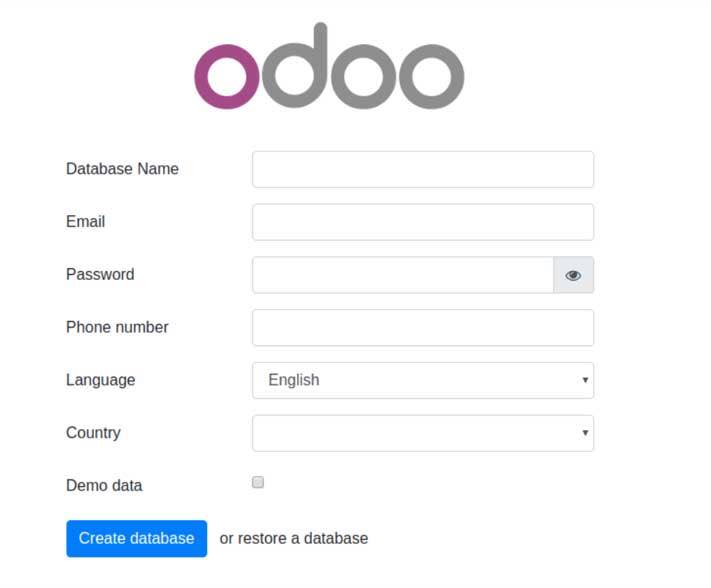
This article covers easy installation and configuration steps for Odoo 12. Odoo stands for "On Demand Open Object", it is an open source that provides all-in-one business related application and modules such as website/e-commerce, CRM, billing, accounting, manufacturing, warehouse/inventories project/timesheet management and allows customizing the user interface. Odoo developed in Python and composed of several core ERP modules, the apps are perfectly integrated with each other. Customization can be based on specific client requirement and integrated with the customized module on the existing platform.
Update all the latest versions & patches by doing an update:
sudo apt-get update && sudo apt-get dist-upgradeInstall the necessary Python libraries and the tools required to build Odoo dependencies
sudo apt install git python3-pip build-essential wget python3-dev python3-venv python3-wheel libxslt-dev libzip-dev libldap2-dev libsasl2-dev python3-setuptools node-lessInstall Wkhtmltopdf:
Download the package:
wget https://builds.wkhtmltopdf.org/0.12.1.3/wkhtmltox_0.12.1.3-1~bionic_amd64.debInstall the package:
sudo apt install ./wkhtmltox_0.12.1.3-1~bionic_amd64.debCreate the Odoo user & group that will own and run the application
sudo adduser --system --home=/opt/odoo --group odooInstall & configure the database server, PostgreSQL
sudo apt-get install postgresqlThen configure the Odoo user on postgres :
First change to the postgres user to get necessary privileges to configure the database.
sudo su - postgresCreate a new database user. This is so Odoo has access rights to connect to PostgreSQL and to create and drop databases.
Note:Remember your choice of password is here, you will need it later on.
createuser --createdb --username postgres --no-createrole --no-superuser --pwprompt odooEnter password for new role: *****
Enter it again: *****
Finally exit from the postgres:
exitInstall Odoo server
Switch to the Odoo user:
sudo su - odoo -s /bin/bashCloning the Odoo12 from the GitHub repository:
git clone https://www.github.com/odoo/odoo --depth 1 --branch 12.0 /opt/odoo/odooexitInstall required Python modules with pip3:
Change to to odoo path:
cd /opt/odoo/odoopip3 install wheel
pip3 install -r requirements.txtcreate odoo.conf :
sudo vi odoo.conf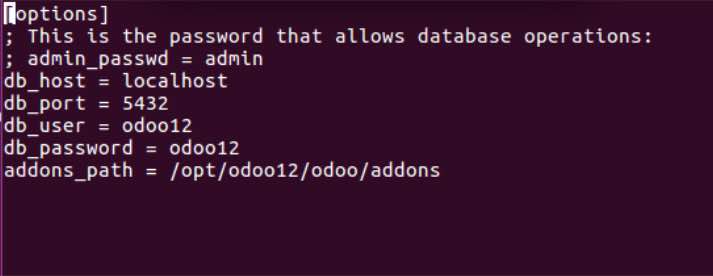
sudo chmod -R 755 odoo.confsudo chown -R odoo:odoo odoo.confstart odoo server:
./odoo-bin --config=odoo.confcheck server:
http://domain_or_Ip.com:8069